Introduction: Why a Good Home Office Matters
Working or studying from home has become extremely common today. However, many people ignore that the environment of your workspace directly affects your productivity and health. An organized and comfortable home office not only increases efficiency but also reduces stress and fatigue.
In this guide, we will provide a step-by-step approach to creating the perfect home office at home, balancing style, comfort, and functionality. You will get detailed insights into furniture, lighting, storage, tech setups, and ergonomics.
Choosing the Right Space for Your Home Office
The first step in creating a home office is selecting the right location. Every home has different conditions, but some tips are universal:
- Quiet area: Choose a spot with minimal noise, such as a spare bedroom, balcony corner, or a quiet part of the living room.
- Natural light: Areas near windows improve energy and productivity.
- Space availability: Ensure enough room for your desk, chair, and other essential furniture.
- Minimal distractions: Avoid high-traffic areas and places with TV noise.
If space is limited, foldable desks or multi-purpose furniture are excellent options.
Choosing the Right Desk and Chair
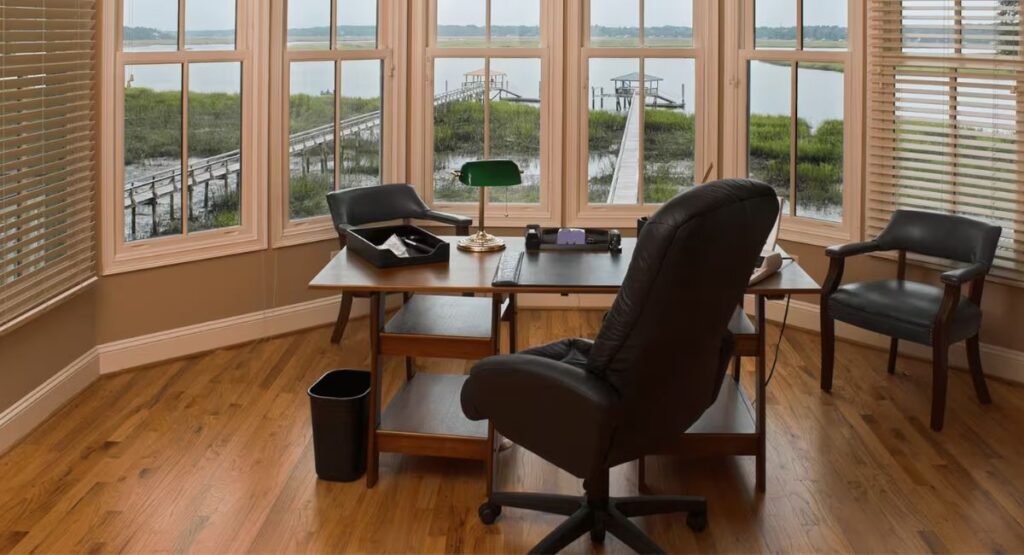
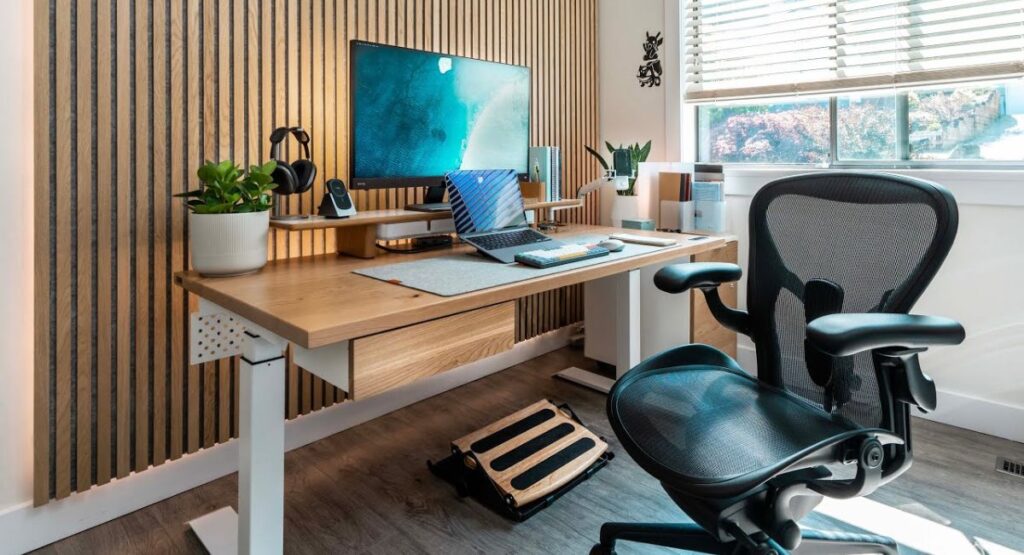
The most important elements of a home office are the desk and chair, as they directly affect posture and comfort.
Desk Tips:
- Adequate surface area for computer, notebooks, and essential accessories
- Built-in cable management for organized wires
- Adjustable height or sit-stand desks for flexibility and health benefits
Chair Tips:
- Ergonomic design with lumbar support and adjustable height
- Comfortable padding to avoid back or hip pain during long hours
- Mobility with swivel and wheels for flexibility
Optimizing Lighting for Maximum Productivity
Lighting is often overlooked but has a significant impact on focus and productivity.
- Natural light: Soft sunlight from windows works best; avoid glare
- Artificial light: Desk lamps or adjustable LED lighting for proper illumination
- Placement: Light source should come from the side to prevent screen reflection
Poor lighting can cause eye strain and headaches, so adjusting lighting properly allows you to work comfortably throughout the day.
Tech Setup: Choosing the Right Equipment
Technology plays a vital role in home office efficiency and comfort.
Essential tech items include:
- High-speed internet
- Desktop or laptop with sufficient RAM and storage
- Monitor (24–27 inches recommended for multitasking)
- Ergonomic keyboard and mouse
- Headphones or speakers for calls
- Surge protector and UPS for uninterrupted power
Organizing your tech setup properly also ensures wires remain tidy and safe.
Storage Solutions and Organization
A cluttered workspace is a major distraction. Effective storage solutions include:
- Floating shelves for books and decor
- Drawer organizers for stationery
- Filing cabinets for documents
- Cable organizers and holders
- Desk trays and baskets for small items
For limited spaces, vertical storage and multi-purpose furniture are excellent solutions.
Decor and Personal Touches
Decor improves aesthetics and positively impacts mood and creativity.
- Indoor plants: Purify air and reduce stress
- Wall art or motivational quotes: Boost focus and inspiration
- Color scheme: Soft, neutral tones create a calming environment
- Rugs or carpets: Add comfort and warmth
Adding personal touches makes your workspace more inviting and enjoyable.
Ergonomics: Preventing Fatigue and Back Pain
Proper ergonomics are essential, especially if you work 6–8 hours a day.
Key points include:
- Monitor height: Should be at eye level
- Chair height: Feet flat on floor, knees at 90-degree angle
- Wrist position: Keep keyboard and mouse use neutral
- Take breaks: Stretch every 45–60 minutes
Following ergonomics reduces long-term health issues.
Optimizing Productivity: Layout and Workflow
The layout of your home office and workflow directly influence productivity.
- Keep frequently used items within reach
- Separate storage for work and personal items
- Position desk facing natural light
- Use cable management for a clean workspace
Small changes like a pen holder, monitor riser, or desk mat can also enhance productivity.
Budget-Friendly Home Office Ideas
A home office doesn’t have to be expensive. Affordable options include:
| Component | Budget-Friendly Options | Estimated Cost |
|---|---|---|
| Desk | Foldable or DIY wooden desk | $50–$100 |
| Chair | Ergonomic mesh chair | $80–$150 |
| Lighting | LED desk lamp | $20–$40 |
| Storage | Floating shelves / baskets | $10–$50 |
| Decor | Indoor plants / wall art | $5–$30 |
By making wise choices, you can create a functional and stylish workspace on a budget.
Maintaining Your Home Office for Long-Term Use
Maintenance is just as important as setup:
- Clean your desk regularly
- Dust electronics to prevent damage
- Organize files weekly
- Water plants and maintain decor
- Upgrade tech when necessary
Proper maintenance ensures your workspace remains productive and long-lasting.
Common Mistakes to Avoid in a Home Office Setup
- Choosing the wrong chair or desk height
- Poor lighting or screen glare
- Cluttered workspace
- Ignoring ergonomics
- Overloaded cables
Avoiding these mistakes ensures a comfortable, safe, and effective home office.
Final Thoughts: Creating a Home Office You’ll Love
A well-planned home office is not just a place to work it is an environment that enhances focus, efficiency, and overall well-being. By carefully selecting your desk, chair, lighting, tech, storage, and decor, you can make your workspace both functional and stylish.
Small improvements like indoor plants, motivational wall art, or ergonomic adjustments can make your day more productive and stress-free. Following these steps, your home office will not only serve work purposes perfectly but also contribute to your overall home improvement and interior quality.